

Support your customers
in the app and over the phone.
Help drivers understand a charge, troubleshoot a session, or release a stuck cable. Bring account-based answers and supported actions into app chat and phone support, with a clear route to your team when more help is needed.

Help with the questions behind
the support queue.
Customers can ask about their own charging without first finding a session identifier or understanding a technical error.

Explain a charge
Find a matching session and explain energy, time, fees, and tax. Distinguish a temporary card hold from an amount actually collected.

Understand a session
Use the session record to explain why a charge stopped, delivered less energy than expected, or did not start as planned.

Guide the next step
Help customers use available start methods, manage payment settings, understand bookings, or find their home charging rules.
Answer from
the customer’s own information.
The assistant uses records available in the authenticated driver’s account, including sessions, chargers, billing, and account details.
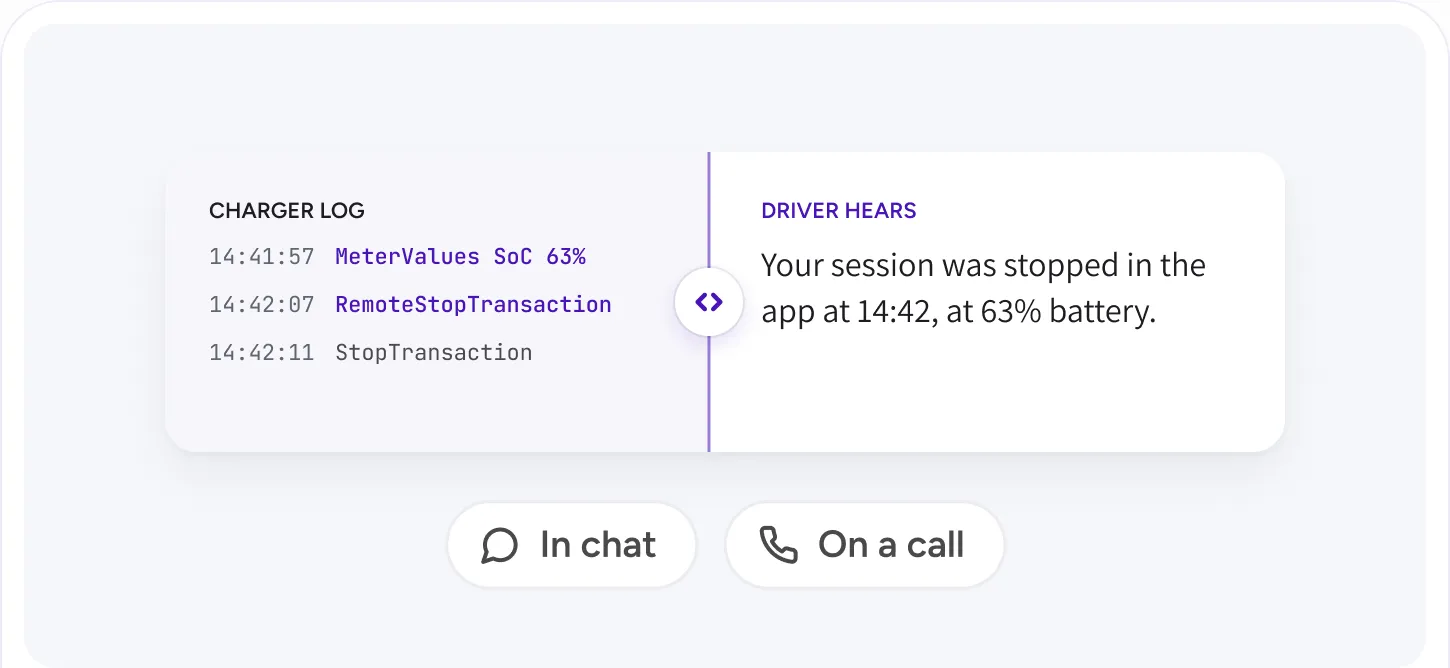
Make technical information understandable
Explain charging events in clear language, whether the customer is reading a reply or listening on the phone.
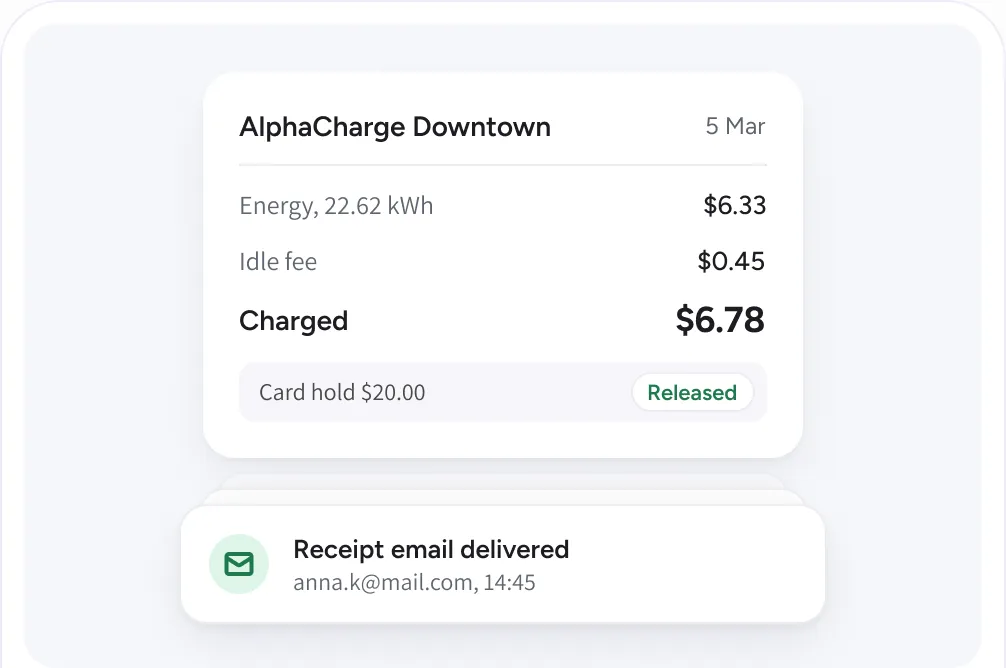
Help with bills and receipts
Explain cost breakdowns and payment arrangements. When an expected email is missing, check whether it was sent and delivered.
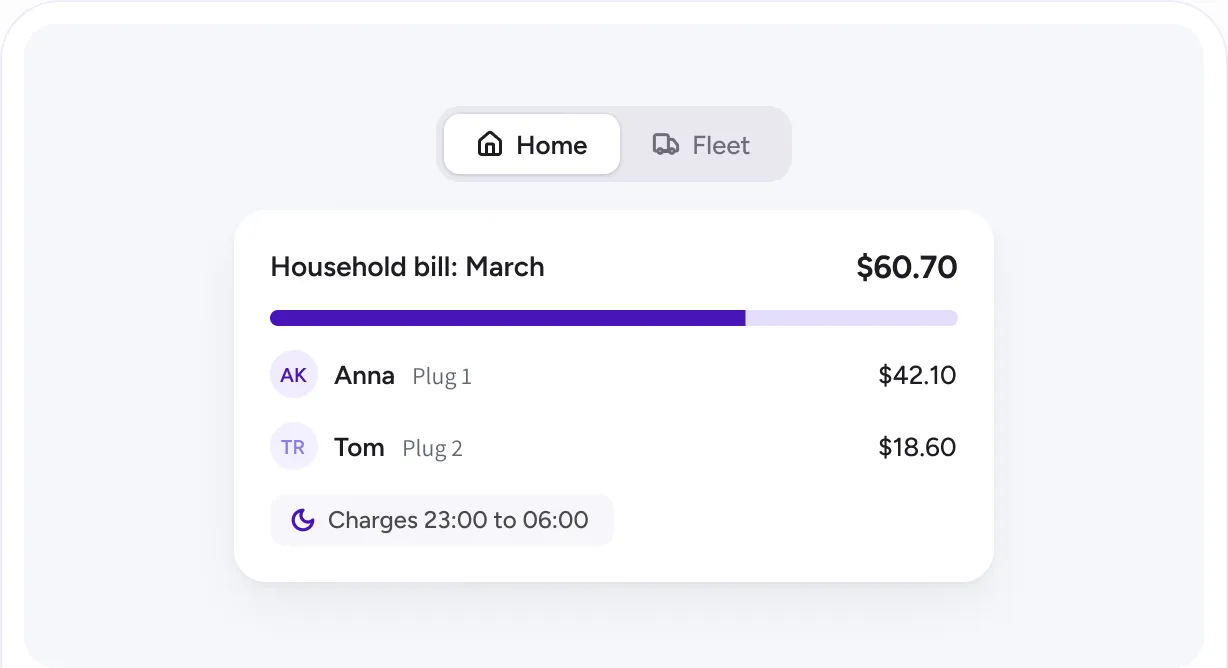
Support home and fleet users
Answer questions about household billing, private plug bills, charging schedules, assigned keys, teams, and member discounts.
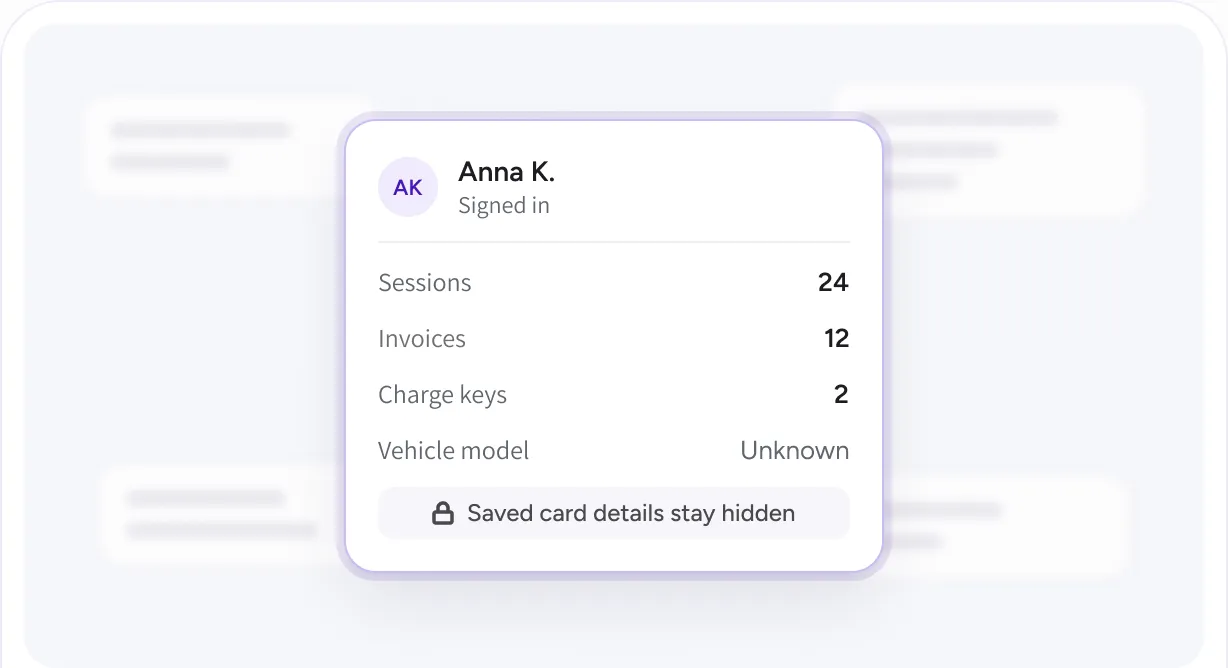
Keep the account boundary clear
The assistant does not access another driver’s records or reveal saved card details. Missing information is treated as unknown.
Help drivers
get on with their day.
The assistant can do more than explain. Supported actions stay within the driver’s own account and require confirmation, with caller verification for phone support.
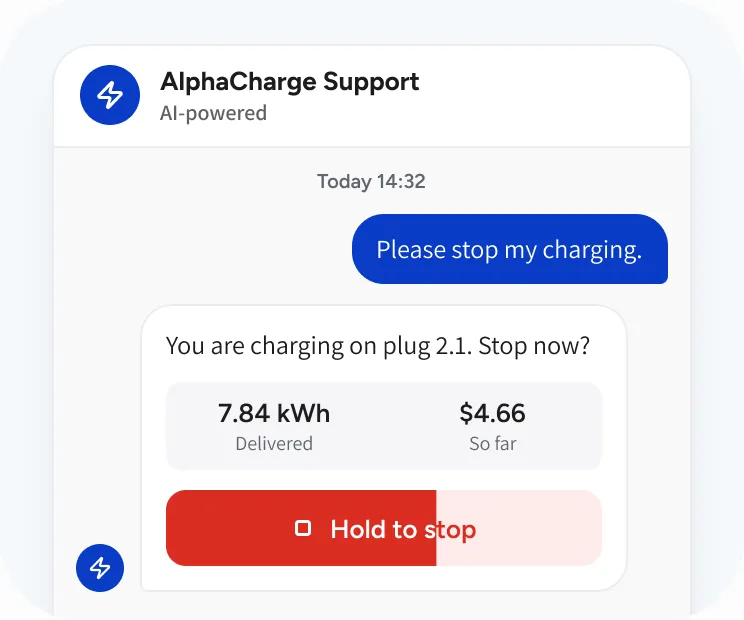
Stop a session
Find the driver’s session and ask for confirmation before sending the stop command. Help resolve sessions that still appear active after charging has ended.
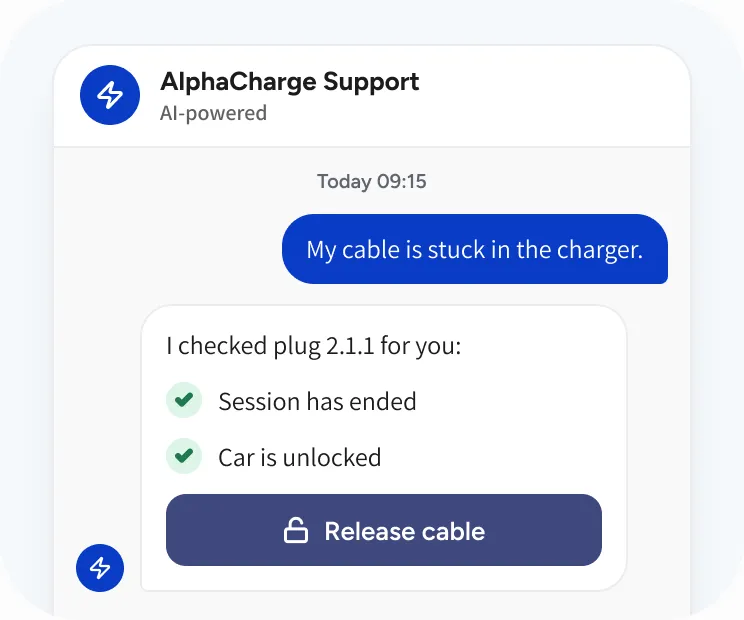
Release a cable
After the session, help release a cable still held by the charger. Guide the driver through checks and use the supported release command after confirmation.
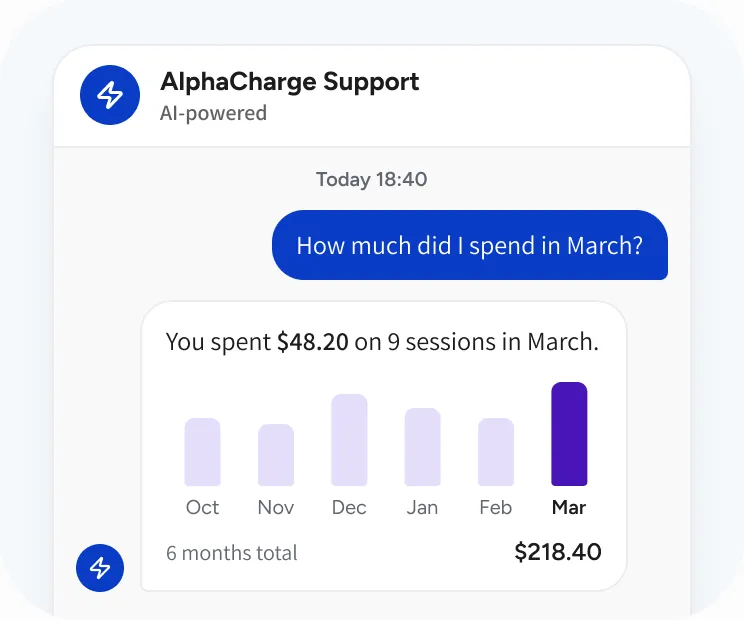
Explain costs and spending
Break down a receipt, explain a payment hold, or summarize charging spend over a requested period.
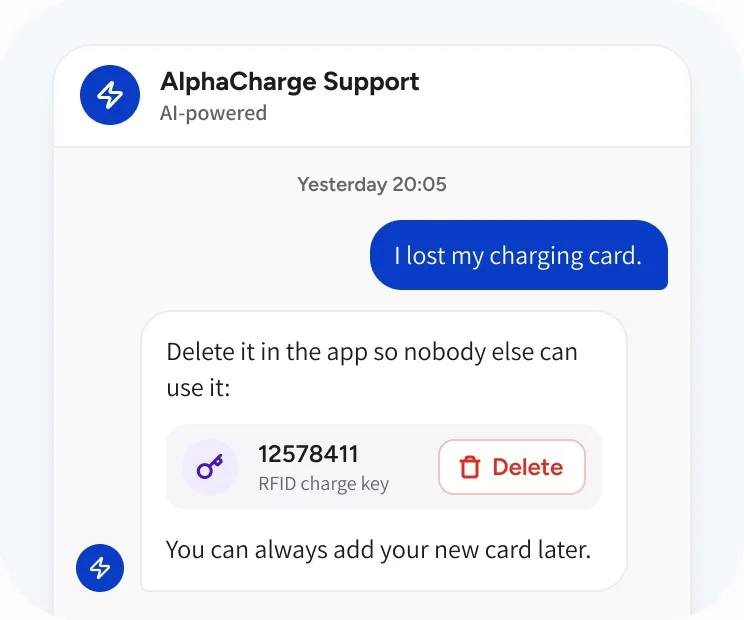
Guide account changes
Explain how to manage charge keys and find invoices. For a lost card, guide the driver to delete the key in the app and contact the right team for a replacement.
Let customers
call for help.
Give end users a phone number for AI help with the same charging, payment, billing, and app questions supported by the chat assistant. AI phone support is available now.
Choose your languages
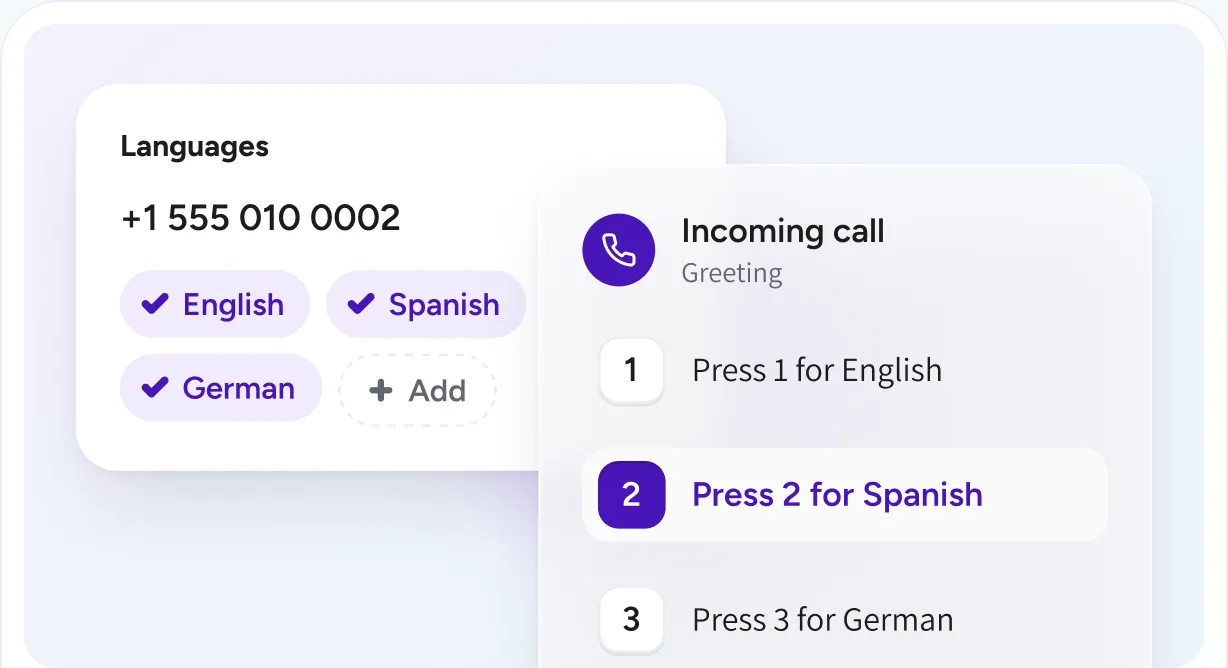
All languages are supported. Choose the languages for each number. A greeting lets callers select a language by pressing a digit, and the assistant uses it throughout the call.
Set up the numbers your service needs
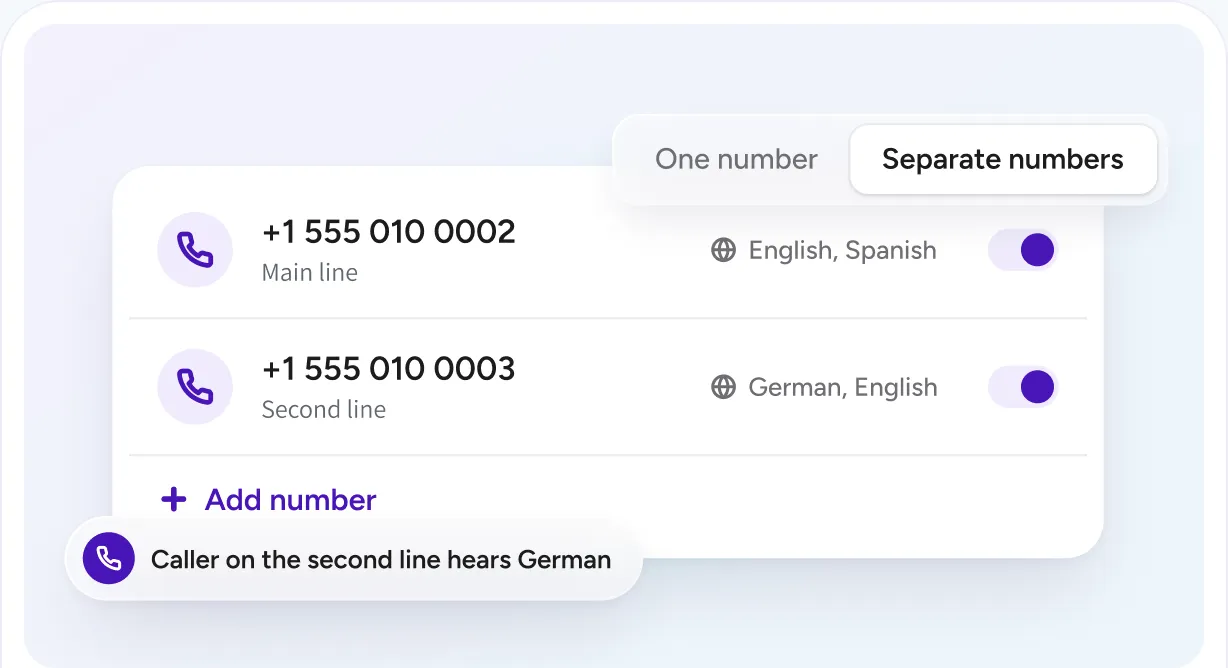
Use one number with your selected languages, or separate numbers for different languages.
Connect callers to your team
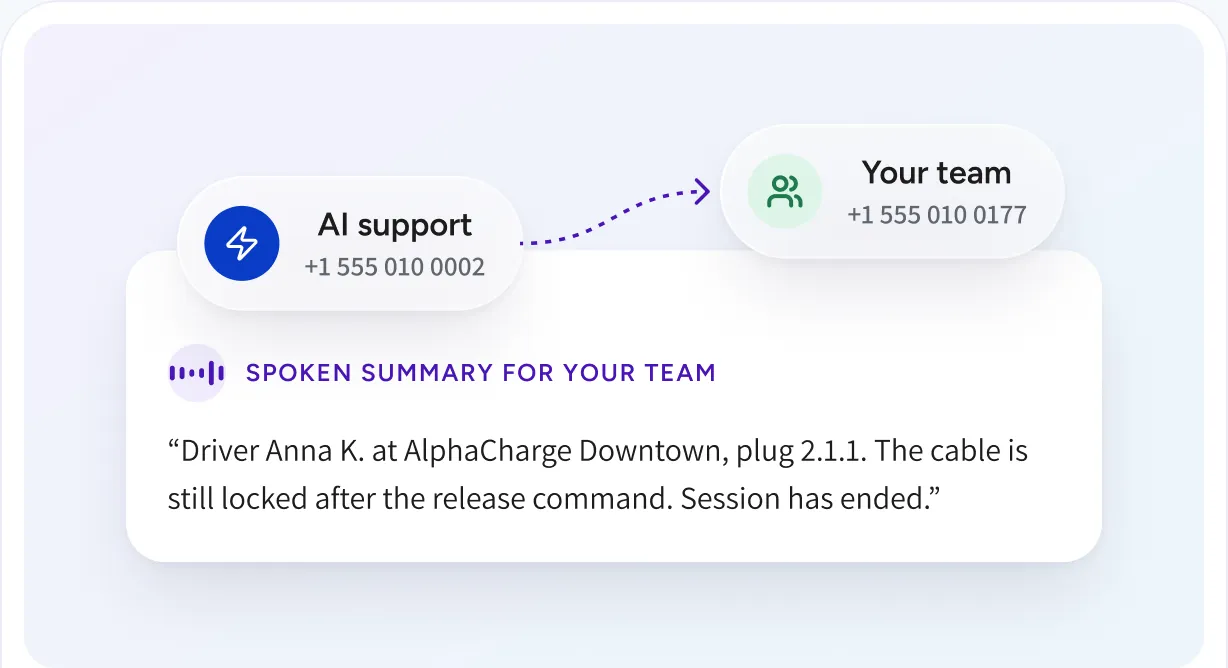
Set a human handover number for each AI support number. Transfer callers to your staff with a spoken summary of the issue.
Set human support hours
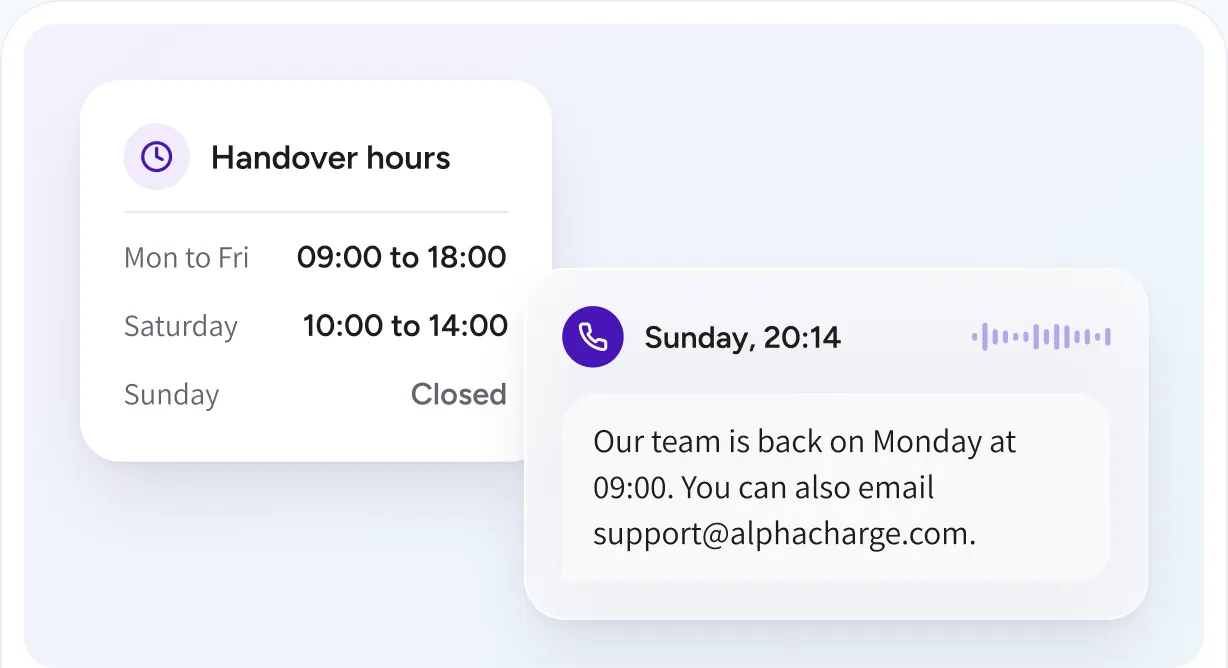
Control human handover hours for each number. Outside those hours, the assistant explains when the team returns and provides your support email address.
Give answers
with the right access.
General help and charger availability do not require identification. Personal session details and account payment information follow verification rules.
Verify session access
The caller provides the customer ID shown in the app or their email address. A six-digit code arrives in the app and by email to verify access.

Recognize returning callers
Remembered verified numbers can skip the code for later session questions. Session stopping and cable release follow verification.

Protect payment information
Before disclosing account payment information, require a verification code on every call, including calls from a remembered number.

See every conversation
in the dashboard.
Chats and calls are logged with the driver’s sessions, invoices and wallet activity, so your team can see what was asked and what was done.
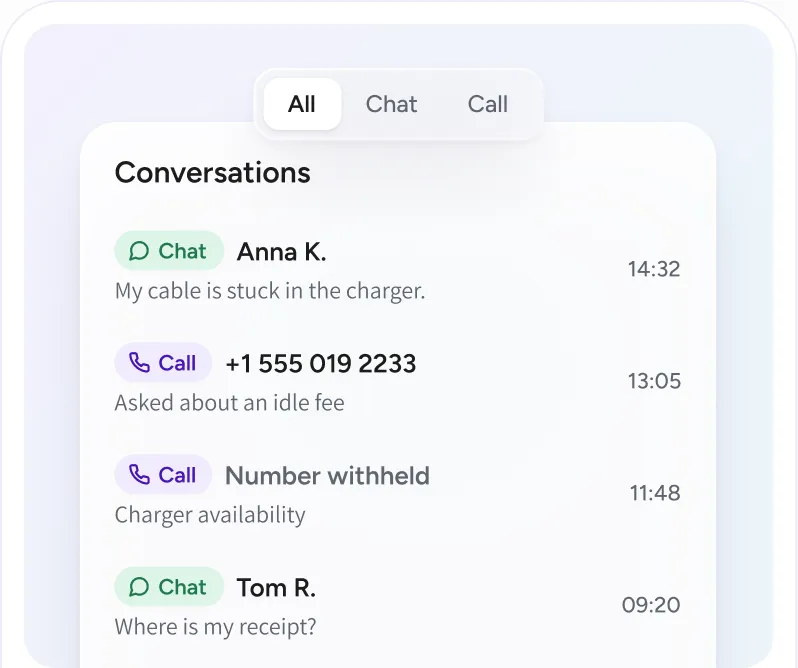
Chats and calls together
Chat and Call badges distinguish conversations. Calls show the caller number, or indicate that it was withheld.
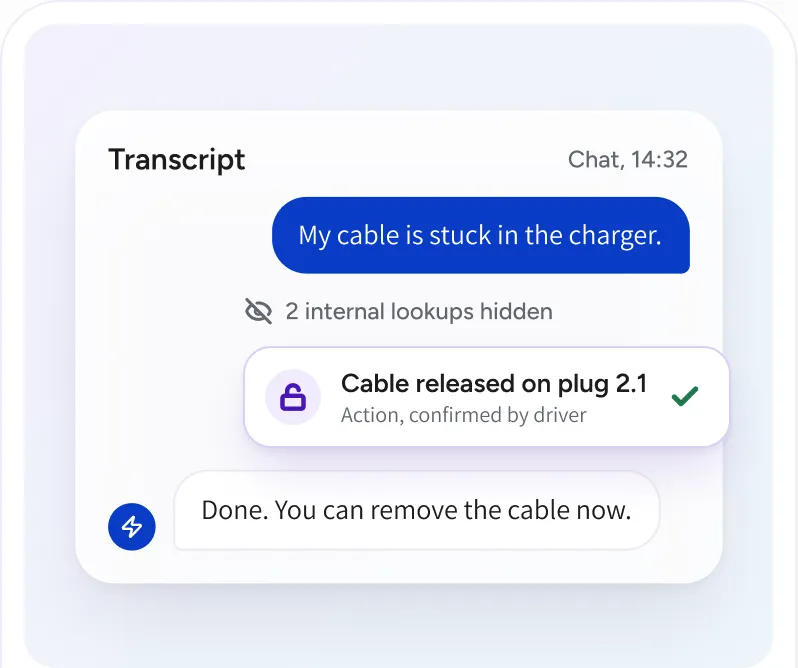
Follow the actions
Supported assistant actions appear as readable entries in the transcript. Internal lookups stay hidden.
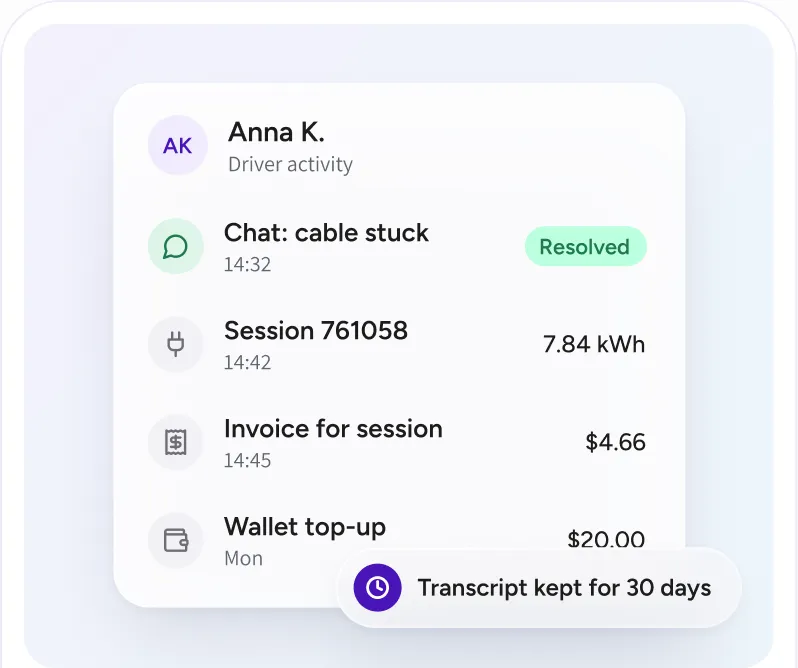
Keep recent support in view
Review conversations alongside sessions, invoices, and wallet activity. Transcripts remain available for 30 days or as agreed.
Build support
around your service.
Configure in-app chat and phone support around your customers and your team. In-app AI support is optional per deployment; phone numbers, languages, and human handover are set up by the operator.

Available in the app
Customers reach help from the service they already use to charge.

Language settings
Drivers can ask for help in their own language. For phone support, choose the languages offered on each number.

Operator contacts
Maintain your company and location support details so customers can reach the right team when needed.
Frequently asked questions
Which questions can the assistant answer?
Questions about the driver’s own charging: sessions, charges, receipts, payment holds, charge keys, bookings, and home charging rules. General questions such as charger availability need no sign in.
What can the assistant do, beyond explaining?
With the driver’s confirmation it can stop the driver’s own session and release a cable the charger still holds after a session. Every action stays within the driver’s account.
How does the assistant know who is calling?
The caller gives the customer ID shown in the app or their email address and receives a six-digit code in the app and by email. Payment information always needs a code, also from a remembered number.
Which languages does phone support offer?
You choose the languages for each support number. A greeting lets the caller pick one, and the assistant keeps it for the whole call.
What happens when the assistant cannot help?
It hands the caller to your team on the handover number you set, with a spoken summary of the issue. Outside your support hours it says when the team is back and gives your support email address.
Is in-app support required?
No. In-app AI support is optional per deployment. Phone numbers, languages, and handover are set up by you.
Explore
the connected capabilities.
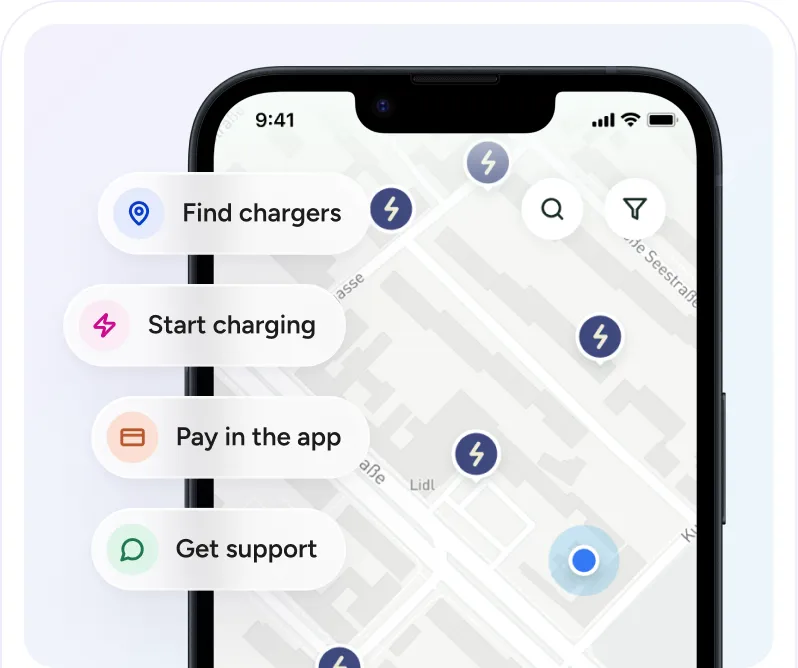
Driver app
Bring charger discovery, charging controls, payments, and support into one app experience. Configure the features around your service and deliver them under your own brand.
White label platform
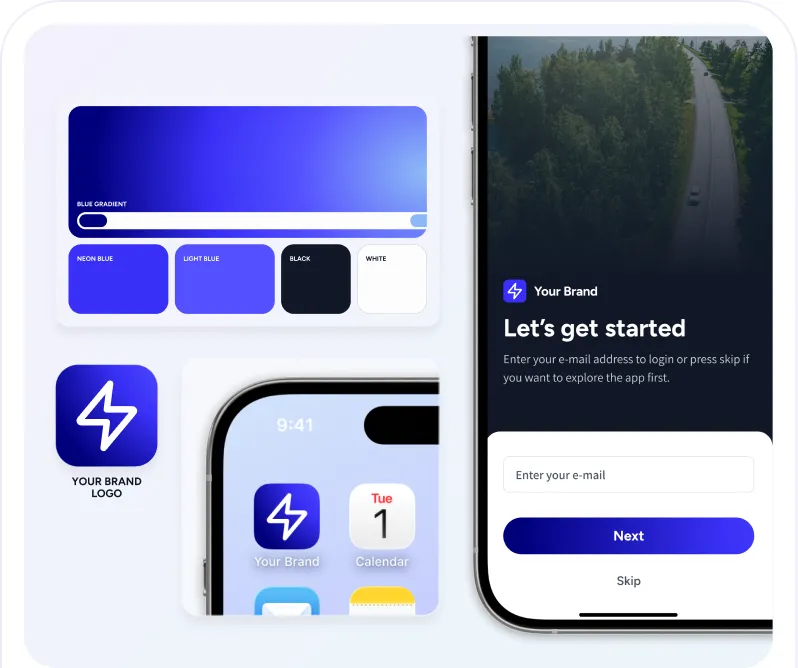
Launch a branded EV charging experience with EOSVOLT behind it. Configure the app, payment setup, and connected services around your customers and the way your business operates.
How our AI works
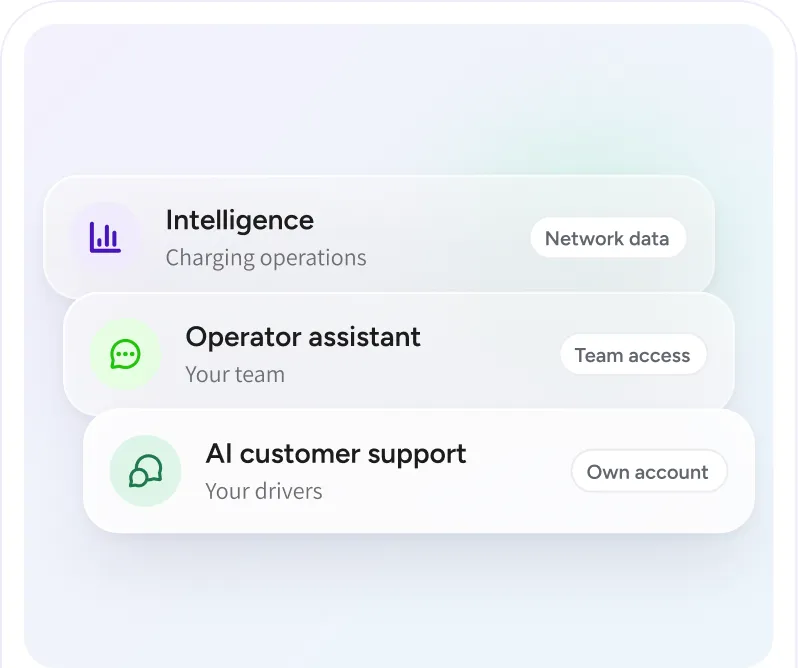
Understand the information behind EOSVOLT’s AI features, the access they follow, and the role of your team. Each capability has a specific job in charging operations or customer support.