

How EOSVOLT AI works
with your charging data.
EOSVOLT brings AI into charging operations through three distinct capabilities. Learn what each one does, which information it works with and how your team stays in control.

Three capabilities,
built for different needs.
Intelligence helps your operations team investigate network problems. The operator assistant finds answers in your dashboard. AI customer support helps drivers with their own charging and payments.
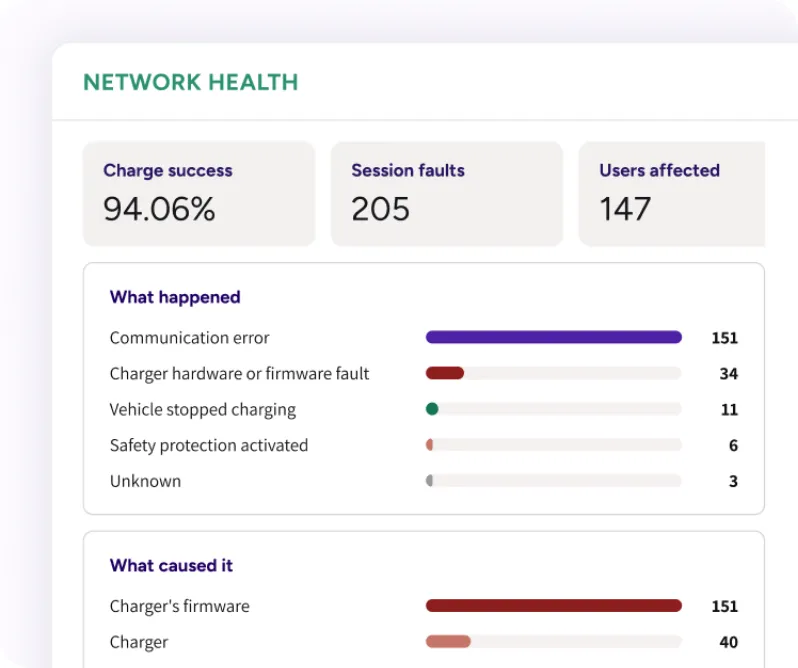
Intelligence
Analyses charger events and session records to highlight recurring issues and explain what happened during a completed charge.
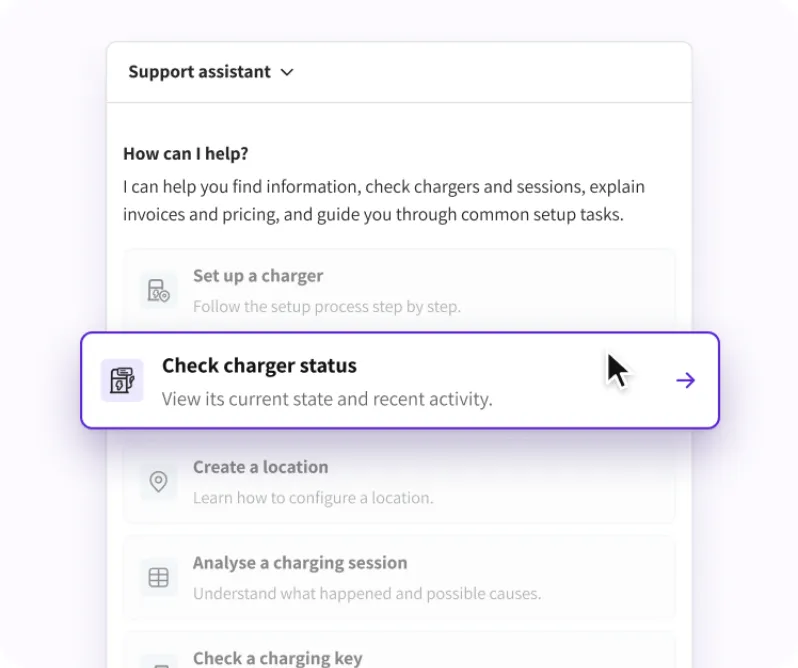
Operator assistant
Finds operational information and EOSVOLT guidance directly in the dashboard, using the administrator’s existing access.
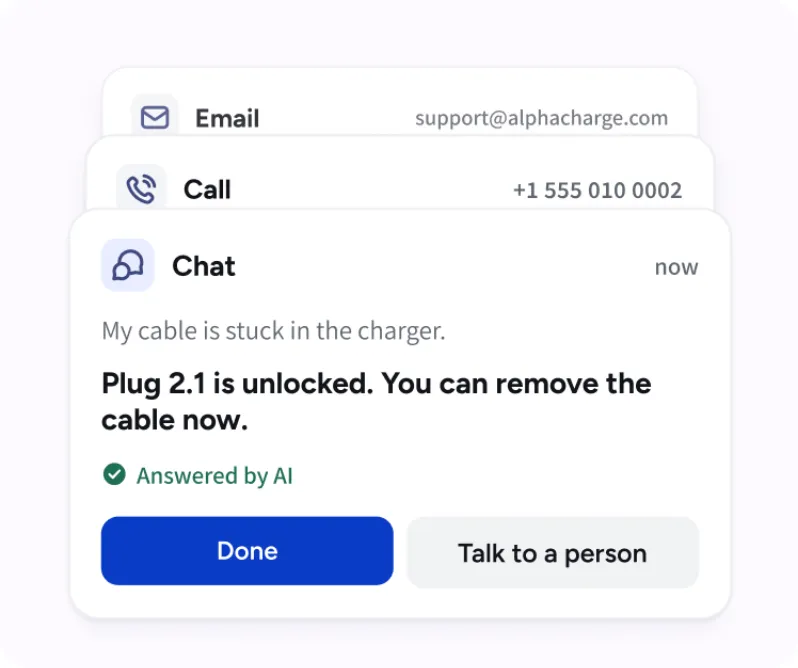
Customer support
Helps customers in the app or over the phone with charging, session history, bills and account questions.
Driver questions,
answered with context.
The customer assistant brings together charging records, payment information and product guidance to help drivers understand their experience and take the next step.
Troubleshooting
Session details & History
Billing & Charges
General questions
Troubleshooting
Session details & History
Billing & Charges
General questions
AI assistance
with the right controls.
The operator assistant finds and explains information. AI customer support can perform selected charging actions after customer confirmation. Your team remains responsible for settings, pricing, refunds and wider network operations.
Help for administrators
Administrators can contact support from their dashboard conversation when a question needs personal assistance.

Support inside the driver app
Drivers can ask questions in the app and receive guidance or confirmed session assistance, with operator contact information available when needed.

Verified help over the phone
Phone support verifies the caller before accessing personal records or carrying out charging actions. Calls can be transferred to your team with a spoken summary of the issue.

Safety-related questions
When a driver reports potentially unsafe charging equipment, the assistant provides safety guidance, helps stop the session and directs the customer to appropriate emergency help when necessary. It is not an emergency service.

Practical help,
with customer confirmation.
For specific charging requests, the customer assistant can help stop a session or release a connector after verifying the customer and receiving confirmation. Your team can review conversations and completed actions in the support history.

Frequently asked questions
Is every AI feature available on every account?
Availability depends on the account, permissions, and app deployment. Session Intelligence works on completed sessions that meet the conditions in the product guide.
Can AI bypass user permissions?
No. The dashboard assistant follows the administrator’s access and the driver assistant uses the authenticated driver’s own account.
When an Intelligence issue closes, did the AI fix the charger?
No. Issue status can change because later sessions meet the resolution rule. That is monitoring behavior, not evidence of an AI repair.
Where can we review detailed data handling requirements?
Discuss your organization’s requirements with EOSVOLT as part of the commercial and technical review. The product guides explain operational behavior. Contractual data handling terms should be reviewed separately.