

Run your entire charging
network from one place.
From live charging activity to customer support and network administration, EOSVOLT gives your team one place to manage locations, chargers, sessions and people.

See the network.
Find what needs attention.
Follow your operation at a glance, then drill into any location, charger or session for the detail behind the numbers.
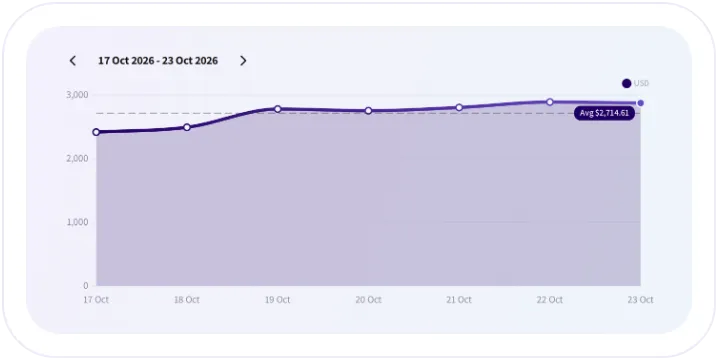
Track performance and live status
Monitor sessions, energy delivered, revenue and connector availability. Compare periods and see what is happening at each site.
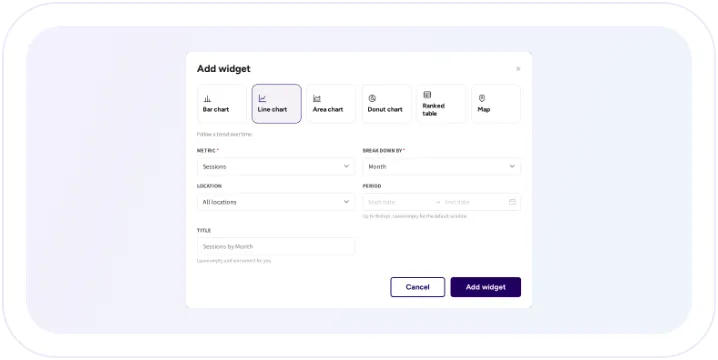
Build dashboards around your KPIs
Put the measures that matter to your team into personal dashboards with KPI cards, charts, tables and maps.
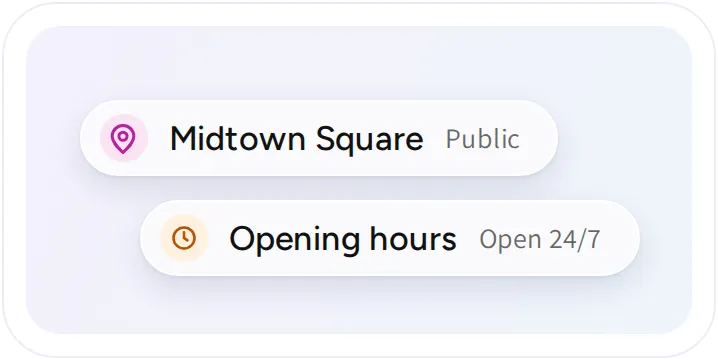
Manage each location in one view
Keep site information, charger status, session history, prices and access settings together for faster day-to-day work.
Manage chargers
throughout your network.
Connect chargers, follow activity, investigate problems and coordinate remote operations from your dashboard.

Bring new chargers online
Add chargers to locations, connect them through OCPP and generate the plug-level QR codes drivers use to start charging.

Investigate charger issues remotely
Review charger logs and send remote commands, including resets, connector unlocks and configuration requests, from one place.

Coordinate firmware updates
See firmware versions across your hardware, maintain files by charger model and coordinate updates across the units you choose.

See the full charging session
Review charging events, energy, duration, customer and payment information together when you need to understand a session.

Find recurring charger faults
Use Intelligence to identify repeated issues and investigate the sequence behind unsuccessful charging sessions.

Receive alerts when chargers need attention
Notify the right people about offline chargers, faults, overheating, connection instability and low power. Site-level summaries and maintenance muting help keep alerts useful.

Give every team the
right level of access.
Give administrators, site hosts and partner operators the information and controls they need for their responsibilities.
Administrator permissions
Location limits
Multiple operators
Administrator permissions
Location limits
Multiple operators


Keep customer information
and communication together.
See the charging, payment and support activity connected to each customer, then communicate with the audiences you need to reach.

Customer accounts
Open a customer record to review sessions, spending, wallet activity, vehicles, charge keys and recent support interactions.

Support conversations
Review AI support chats and calls with their outcome and conversation history, linked to the corresponding customer.

Push campaigns
Send push notifications to individual customers or targeted groups based on location, fleet membership and wallet activity. Schedule messages and keep them available in the app inbox.

Get answers directly
in your dashboard.
Ask the operator assistant about a charger, session, customer or price. It finds the relevant information in your dashboard and explains the result so your team can act faster.
Multiple operators.
One platform.
Blaupunkt EV runs a multi-operator charging service on EOSVOLT. Operators work under the same brand while managing their own network activities and accounts.

Frequently asked questions
Can we manage different charger brands?
Yes. Supported OCPP models from different makers can be managed together. Available remote commands and smart charging functions depend on the equipment and firmware.
Can we give a property manager view-only access?
Yes. Switch on the sections they need, leave every action unticked, and limit their access to the locations they manage.
Can the platform restart an offline charger?
No. A charger must be online to receive a remote command. If it is offline, the site’s power and connectivity may need investigation.
Does the operator assistant change settings?
No. It looks up information and explains it. Changes such as pricing updates, resets, and refunds remain dashboard actions.
Is the dashboard available in our language?
Yes. Each administrator chooses the dashboard language in their profile. Drivers choose their own language in the app, independently.
Can we export sessions and invoices for accounting?
Yes. Export sessions with the columns and period you choose, invoices as one download, and wallet balances and top ups. Fleet sessions export with their own filters.
Explore
the product guides.

Adding a charger guide
Add a charger, pick its type and fill in its brand, model and serial ID. Follow the steps to point the charger to the platform's OCPP address and check that it connects.

My dashboards guide
Build up to three dashboards of your own with KPI cards, charts, ranked tables and maps. Learn how to pick the numbers you follow and compare them with the period before.

Session details guide
Read the full record of one session: charging times, who charged and how the payment was built up. See the fleet behind a session and correct an odometer reading.

OCPP toolkit guide
Send OCPP commands straight to one charger without anyone at the site. Learn how to unlock a stuck cable, restart a charger, take a plug out of service and read or change its settings.

Admin permissions guide
See what each section and action in Access settings lets an admin do. Learn how a location limit combines with permissions and what an external admin of a fleet customer can reach.

Customers guide
Find a driver's account and see how they pay, charge and contact support. Learn how to read their activity, create an account for a driver and add a physical charge key for them.
Explore
the connected capabilities.

Supported hardware
Connect supported AC and DC chargers over OCPP, and manage monitoring, remote commands, and firmware for every model.
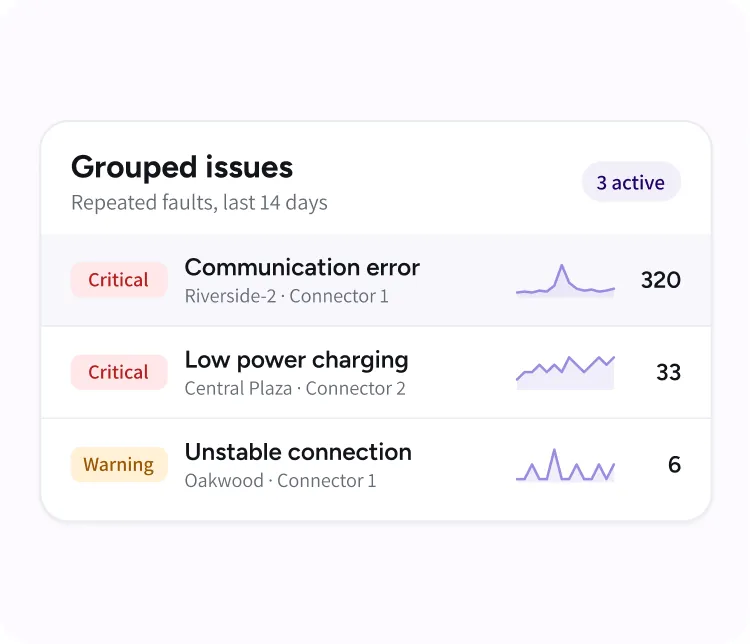
Intelligence
Follow charger health across your network. Group repeated faults into issues, find the chargers that need attention, and read why a session failed.

Pricing and payments
Configure charging prices, collect payments, and follow the records behind every transaction. Support different customer groups and billing arrangements across your operation.